
Before a box becomes something you can open, it is a set of decisions: proportions, space for the product, board thickness and the paper that wraps around an edge. Seeing those choices together makes them easier to discuss. Cartis, the packaging software conceived and developed by Gianmarco Melchiorri, keeps them connected from design through production preparation.
Look at it from every angle
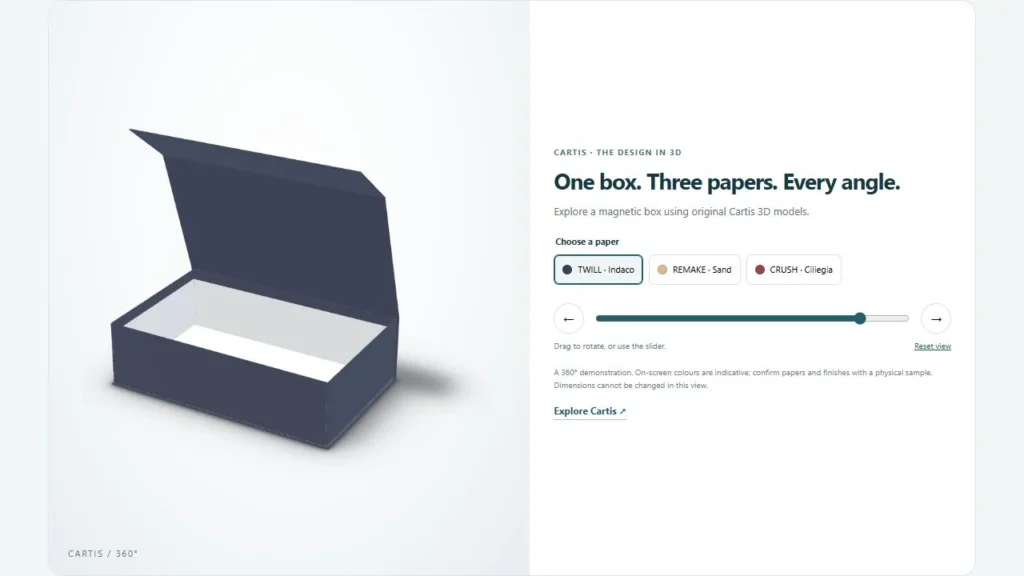
The view below puts a magnetic box in your hands, on screen. Rotate it with a mouse, a touch gesture or the slider, then switch between TWILL · Indaco, REMAKE · Sand and CRUSH · Ciliegia. The structure stays the same; the character of the packaging changes with the paper.
This 360° visual demonstration uses original Cartis renders. You can change the viewpoint and paper here; the model’s dimensions stay fixed. To explore your own sizes, use the public test bench or request a demonstration of the software through the links below.
Three dimensions, one connected design
In box making, a measurement travels through several documents: the flat layout, the cutting die, the assembled view and the information used to prepare the material. When those stages are handled separately, a change means finding and updating each affected reference.
Cartis generates the flat layout, cutting die, 3D view, sheet yield and quotation from the model’s parameters. Board thickness, paper, construction allowances and tolerances inform the design. You can examine the same project from different perspectives while keeping a common reference.
Make design discussions clearer
A dimensioned drawing is essential for the people making a box. For someone choosing packaging, seeing the volume and the relationship between the tray, lid and flap makes the discussion more immediate. Proportions and surfaces for artwork become easier to understand.
Photographed paper samples add another useful reference. The digital view helps compare options; colour, texture, reflections and feel are confirmed using real materials. A paper shown on screen is still a representation. The physical sample completes that part of the decision.
From the box to the sheet and the job
A presentation box starts with components that need to fit onto sheets of material. Sheet yield shows how many components can be placed on a sheet and helps estimate sheet requirements and waste. Sheet size, component shape, spacing and material constraints all matter.
Cartis connects that information with quotation preparation and the job record. It also includes areas for production, deliveries, purchasing and stock, so the design can feed into planning the work. Reliable material specifications, production times and company costs remain essential inputs.
Share the design before making it
For customer discussions, Cartis can provide a link to a 3D design preview that opens on a phone without exposing confidential pricing information. In the software’s workflow, customers can approve the preview or request changes, and their response returns to the job record.
The view in this article is for exploring the model and papers only: it sends no requests and records no approvals. The digital preview, technical review and any physical sample have different roles. Together, they help the workshop begin with clearer decisions.
Bring a box you already know
A practical way to understand software is to use a familiar job. Choose a box style you make, prepare its three dimensions and identify the paper and board thicknesses. A demonstration can follow the relationship between the layout, 3D, sheet yield and quotation using that example.
The public test bench provides a simplified introduction using a base and lid box. The full application uses construction rules and company settings. If you are looking to buy custom packaging, start with the Scatole.com box configurators instead.
Discover the design behind the box
Explore Cartis, try the public test bench or request a demonstration using your own job. For custom packaging, start with the Scatole.com box styles.
Explore Cartis · Try three dimensions · Request a demonstration · Design a magnetic box